

Here’s a ready-to-publish blog draft on that topic.
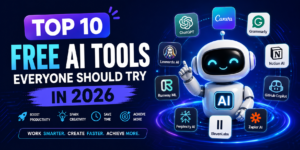
10 AI Tools Every Student Should Know in 2026
AI is changing the way students learn, research, write, create, and prepare for their careers. In 2026, you don’t need to be an AI expert to benefit from these tools. The right AI tools can help you save time, understand difficult topics, organize your studies, and become more productive.
But remember: AI should be used as a learning assistant, not as a replacement for your own thinking.
Here are 10 AI tools every student should know in 2026.
1. ChatGPT — Your AI Study Assistant
ChatGPT can help students with almost every part of their academic life.
You can use it to:
- Explain difficult concepts in simple language
- Create study plans
- Generate practice questions
- Brainstorm project ideas
- Summarize information
- Practice interviews
- Improve writing and grammar
- Learn programming
For example, instead of asking:
“Explain photosynthesis.”
You could ask:
“Explain photosynthesis like I’m a beginner, then give me 5 questions to test my understanding.”
This turns AI into an interactive tutor rather than simply a source of answers.
Best for: Studying, brainstorming, writing, coding, and learning.
2. Google Gemini — Research and Learning
Google Gemini can be useful when you want help understanding information, brainstorming ideas, or working with different types of content.
Students can use it for:
- Research assistance
- Brainstorming
- Explaining complex topics
- Summarizing information
- Creating study materials
- Working with documents and other content
One of the biggest advantages of using AI for research is that you can ask follow-up questions and explore a topic conversationally.
Best for: Research, learning, brainstorming, and information exploration.
3. Perplexity — AI-Powered Research
When you’re researching a topic for an assignment or project, finding reliable information can take a lot of time.
Perplexity is designed around answering questions with web-based research and citations.
For example, you could ask:
“What are the major effects of climate change on agriculture? Give me sources I can read.”
Instead of stopping at the AI-generated answer, open the cited sources and verify the information yourself.
Best for: Research and finding sources.
4. Grammarly — Improve Your Writing
Good ideas can lose their impact when writing contains grammar mistakes or unclear sentences.
Grammarly uses AI to help improve writing by identifying issues with grammar, spelling, clarity, tone, and style.
Students can use it for:
- Essays
- Emails
- Assignments
- Reports
- Applications
- Presentations
However, don’t simply accept every suggestion. Learn why something was changed so that your writing improves over time.
Best for: Grammar, editing, and writing improvement.
5. NotebookLM — Learn From Your Own Materials
One of the biggest problems students face is dealing with large amounts of study material.
NotebookLM can help you work with your own sources, such as documents, notes, and other supported materials.
Imagine uploading your study material and asking:
“What are the five most important concepts in these notes?”
You can then ask follow-up questions about the material.
This can make revision much more interactive.
Best for: Notes, revision, research, and understanding source material.
6. Canva — Create Better Presentations
A great presentation isn’t only about having good information. It also needs good visual design.
Canva provides AI-powered features that can help students create:
- Presentations
- Posters
- Infographics
- Social media graphics
- Study materials
- Visual projects
Instead of spending hours designing everything from scratch, you can use AI-assisted tools to generate a starting point and then customize the result.
Best for: Presentations, projects, posters, and visual content.
7. GitHub Copilot — Coding Assistant
If you’re studying computer science or learning programming, an AI coding assistant can be extremely useful.
GitHub Copilot can help with:
- Writing code
- Explaining code
- Finding bugs
- Generating functions
- Learning programming concepts
- Suggesting improvements
For example, a beginner learning Python might ask for an explanation of a particular function and then experiment with the generated example.
The important rule is: don’t blindly copy AI-generated code.
Read it, understand it, test it, and modify it yourself.
Best for: Programming and software development.
8. Wolfram|Alpha — Math and Science Help
Math can become frustrating when you get stuck on a calculation or complex equation.
Wolfram|Alpha is a powerful computational tool that can help with mathematical and scientific questions.
Students can use it for areas such as:
- Algebra
- Calculus
- Statistics
- Physics
- Chemistry
- Engineering
Rather than using it only to get the final answer, use it to check your work and understand the steps involved.
Best for: Mathematics, science, and calculations.
9. Quizlet — AI-Powered Study and Flashcards
Flashcards are a classic study technique, but creating hundreds of them manually can take time.
Quizlet provides digital study tools and AI-powered features that can help students create and practice study materials.
You can use it for:
- Vocabulary
- Definitions
- Exam revision
- Languages
- Flashcards
- Practice questions
The key is to actively recall the information rather than simply reading it repeatedly.
Best for: Memorization and revision.
10. Notion — Organize Your Student Life
Being productive isn’t just about studying harder. It’s also about organizing your work.
Notion can be used to create a central workspace for:
- Class notes
- Assignments
- Project planning
- To-do lists
- Study schedules
- Personal knowledge management
With AI features, you can also get help summarizing and organizing information.
For example, you could maintain one workspace containing your course notes, assignment deadlines, project tasks, and revision plans.
Best for: Organization, notes, planning, and productivity.
How Students Should Use AI in 2026
Having access to AI doesn’t automatically make studying easier. How you use it matters.
Here are five rules that can help.
1. Use AI to understand, not just copy
If AI gives you an answer, ask:
“Explain why this answer is correct.”
Understanding the reasoning is more valuable than having the answer.
2. Verify important information
AI can make mistakes. For assignments, research papers, and important decisions, check information against reliable sources.
3. Protect your privacy
Don’t upload sensitive personal information, passwords, private documents, or confidential academic material without understanding how the service handles your data.
4. Follow your school’s AI policy
Different schools, universities, and instructors have different rules regarding AI-generated work.
Always follow the rules for your course.
5. Keep your own skills
If AI writes every essay, solves every equation, and writes every line of code for you, you may finish the task without actually learning the skill.
Use AI as a coach, tutor, editor, and brainstorming partner—not as a substitute for learning.
Final Thoughts
AI is becoming one of the most useful technologies available to students. Tools like ChatGPT, Gemini, Perplexity, Grammarly, NotebookLM, Canva, GitHub Copilot, Wolfram|Alpha, Quizlet, and Notion can make studying, research, writing, coding, and organization more efficient.
But the most successful students won’t necessarily be the ones who use the most AI.
They’ll be the ones who know when to use AI, how to question its answers, and how to combine AI with their own thinking.
So don’t ask:
“How can AI do my homework?”
Ask:
“How can AI help me become better at learning?”
That’s the real advantage of AI in 2026.